
Snapchat Followers Count
Check any public Snapchat followers count for free in 2026. No login required. Instantly see subscribers, bio, Snapcode & profile picture anonymously.
Supports: username · @username · snapchat.com/@username · snapchat.com/add/username


How to check Snapchat followers in 3 steps
Just type a username (like wwe) or paste any profile link. The box accepts almost every format Snapchat uses.
If it says the count is hidden, that’s not a tool problem – the account owner turned the display off.
Find the Username or Profile URL
Copy the username or the full profile link from Snapchat.
Type the Username or Profile URL
Paste it in the box above and hit Check Profile.
Browse Their Full Profile
You will see public subscriber count, bio, location (if listed), verified badge if they have one, and the Snapcode.
Choose Your Browser
SchatDownloader is available for all major browsers. Pick yours and get started in seconds.
What “followers” actually means on Snapchat
This is the part that confuses almost everyone.
On a Public Profile, Snapchat doesn’t call them followers. It calls them subscribers, people who tapped Subscribe so they can see that creator’s public content. When you search for a Snapchat followers count, the number you’re looking for is this subscriber total.
There’s also the older idea of “friends.” Friends are mutual connections on a personal account. That list is private. No tool on the internet can show you someone else’s friends list, and anyone who claims they can is not being honest.
A few practical things that still hold in 2026:
- Only Public Profiles expose a subscriber number. Regular personal accounts don’t show one.
- Snapchat automatically displays the count once an account crosses 100,000 subscribers. Below that number, the creator can turn the “Show Follower Count” toggle on or off in their Public Profile settings.
- If the toggle is off, the number simply isn’t published. No tool can invent it.
That’s why you’ll sometimes see a clearly popular account with no number next to it. The owner chose to hide it.
What you actually get in the results
Most counters just throw a single number at you. This one pulls the full public card because the number alone rarely tells the whole story.
| Data point | What it is | Why it’s useful |
|---|---|---|
| Followers / Subscribers | Public subscriber total | The number you came for |
| Display name + badge | Real name and verified check | Confirms you checked the right account |
| Location | Country/region listed on profile | Helps spot fake or moved accounts |
| Bio | The profile’s own description | Quick context on who they are |
| Profile picture | Full-size avatar | Click to enlarge and download |
| Snapcode | The yellow scannable code | Tap to open a big version you can scan |
Why most free counters stop working
A lot of the tools you find were written against an older version of Snapchat’s public pages. The layout changed, the number moved, and the tool was never updated. Result: it returns zero, shows an old cached number, or just spins forever.
Some sites also ask you to “log in with Snapchat” just to see a public number. There’s no reason a public subscriber count should need your password. That’s a red flag.
Reading a public count leaves no notification on the account. You’re looking at information Snapchat already makes available.
Quick comparison
| Feature | This checker | Snapchat app | Most random tools |
|---|---|---|---|
| Any public profile’s count | Yes | Only your own | Often broken |
| Login required | Never | Yes | Sometimes (avoid) |
| Accepts /add/ and full links | Yes | — | Usually not |
| Profile pic + bio + Snapcode | All of it | Your own view | Number only (if lucky) |
| Download the profile picture | One click | Not really | No |
| Keeps working after Snapchat changes | Maintained | Official | Usually dies quietly |
A few things our Snapchat Followers Count does differently
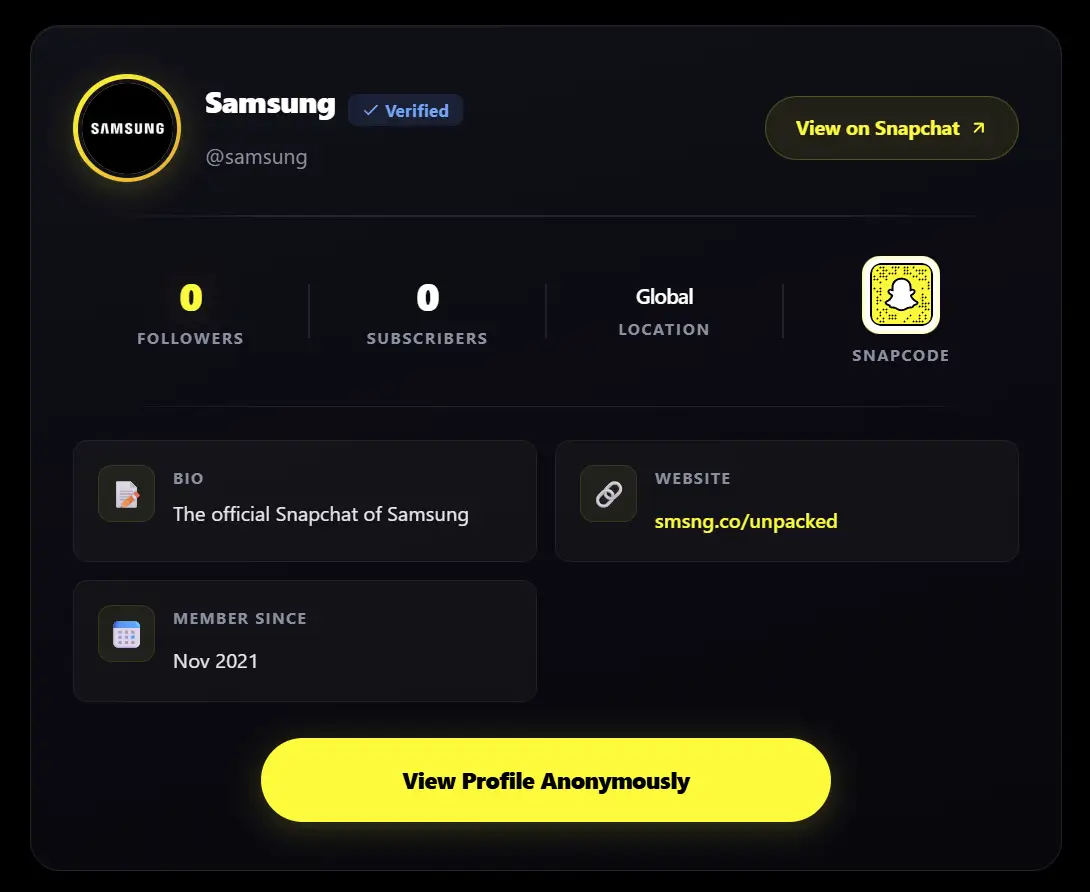
It accepts messy links
People copy links from the share sheet, browser, messages, even /add/ friend links. The box cleans them up and finds the real username so you don’t have to.

The profile picture is actually downloadable
Click the avatar and it opens full size. One yellow button saves the image. No extra steps. Works nicely with the Snapchat profile picture viewer if that’s what you mainly need.
Snapcode opens large enough to scan
Tap the small yellow code and it pops up big and centered so you can point your phone camera at it from across the table.
One click to view the whole profile anonymously
Under every result there’s a “View Profile Anonymously” button that takes you straight to the Snapchat profile viewer. Useful when you’ve seen the count and now want to look at their stories or spotlights without showing up.
It stays online
Snapchat blocks a lot of plain server requests. The checker tries a few different routes automatically so one temporary block doesn’t kill the whole lookup.
Common questions
No. Snapchat only publishes the total on public profiles, not the names. Any tool that promises the full list is not telling the truth.
Either it’s not a Public Profile, or the owner turned the “Show Follower Count” switch off. Below 100k the creator has full control over whether the number appears.
No. There’s no “who viewed your followers” feature. You’re reading public information.
It’s fetched fresh, then cached for a short time so repeated checks are fast and we don’t hammer Snapchat’s servers.
Only public profiles expose a subscriber count. Personal-only accounts don’t show one.
That’s the rest of the site. Use the story downloader, spotlight downloader, or the bulk downloader when you have several links.
Other tools people use next
- Profile viewer — browse public stories, highlights and spotlights without logging in
- Profile picture viewer — grab the full-size avatar
- Story viewer — watch public stories without appearing on the view list
- Snapchat video downloader — save public videos and spotlights
- Browser extensions — download straight from snapchat.com in Chrome, Edge or Firefox
If you prefer working by username, the guide on how to download Snapchat by username covers the same idea for media.