Have you ever come across a Snapchat username somewhere, maybe in an Instagram bio, a group chat, or a friend’s recommendation, and wanted to see or save that person’s content? The problem is, you don’t have a link. You just have a name.
This happens more often than you’d think. The good news is that it’s possible to download Snapchat videos and stories using nothing but a username. The catch is that it only works one specific way, and most guides online don’t explain that part clearly. This one will.
What Does “Download by Username” Actually Mean?
Let’s clear this up first, because it matters.
Snapchat doesn’t have a search bar where you type any username and instantly unlock someone’s private snaps. No tool, app, or trick can do that, no matter what some websites claim.
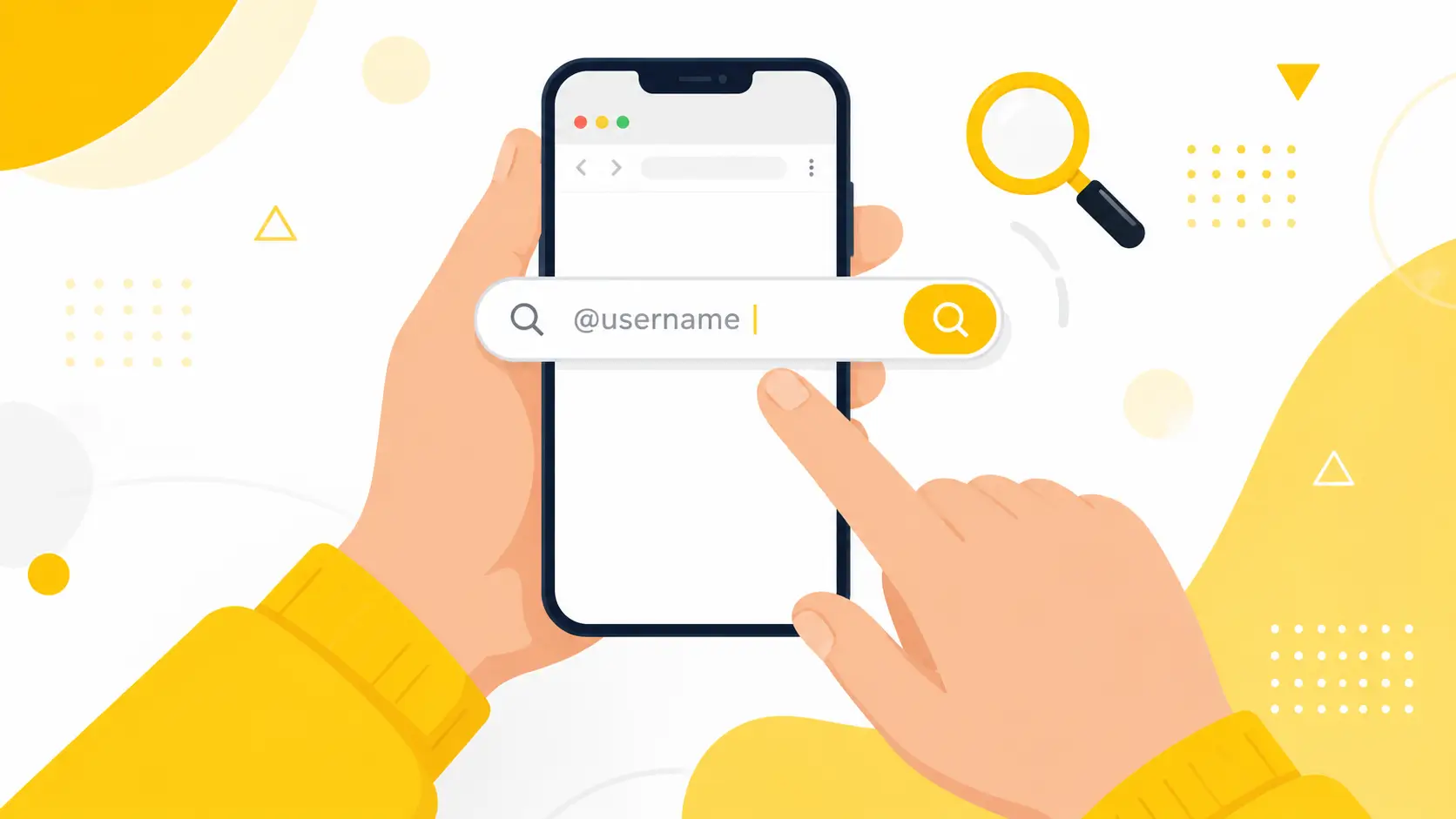
What actually works is this: if a Snapchat account is set to public, anyone can look up that username and see their posted stories, Spotlight videos, and profile picture. You don’t need to be friends with them. You don’t need to send a request. The content is already open for anyone to view, and that’s exactly what a “download by username” tool is built for.
If the account is private, the username won’t get you anywhere. We’ll talk more about that a little further down, so keep reading.
What You’ll Need:
Before you start, grab these three things:
- The exact username, spelled correctly
- A browser, on your phone or your computer
- A couple of minutes, since some profiles have a lot of saved content to load
You don’t need the Snapchat app open. You don’t need an account on our site either.
Step 1: Find the Public Profile
Every public Snapchat account has a simple web link that follows this pattern:
snapchat.com/add/username
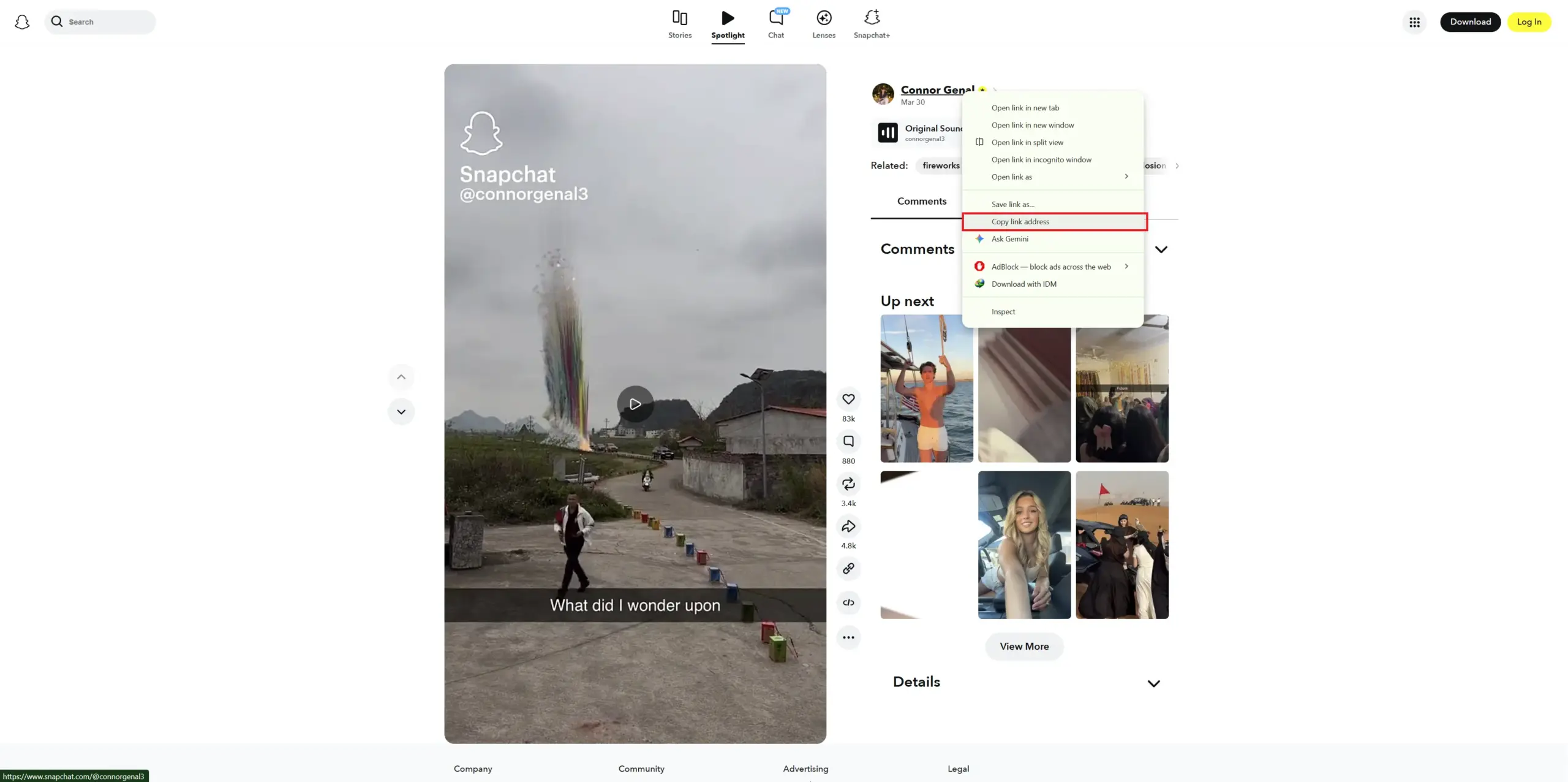
In our case, we have copied this public profile URL:
https://www.snapchat.com/@connorgenal3
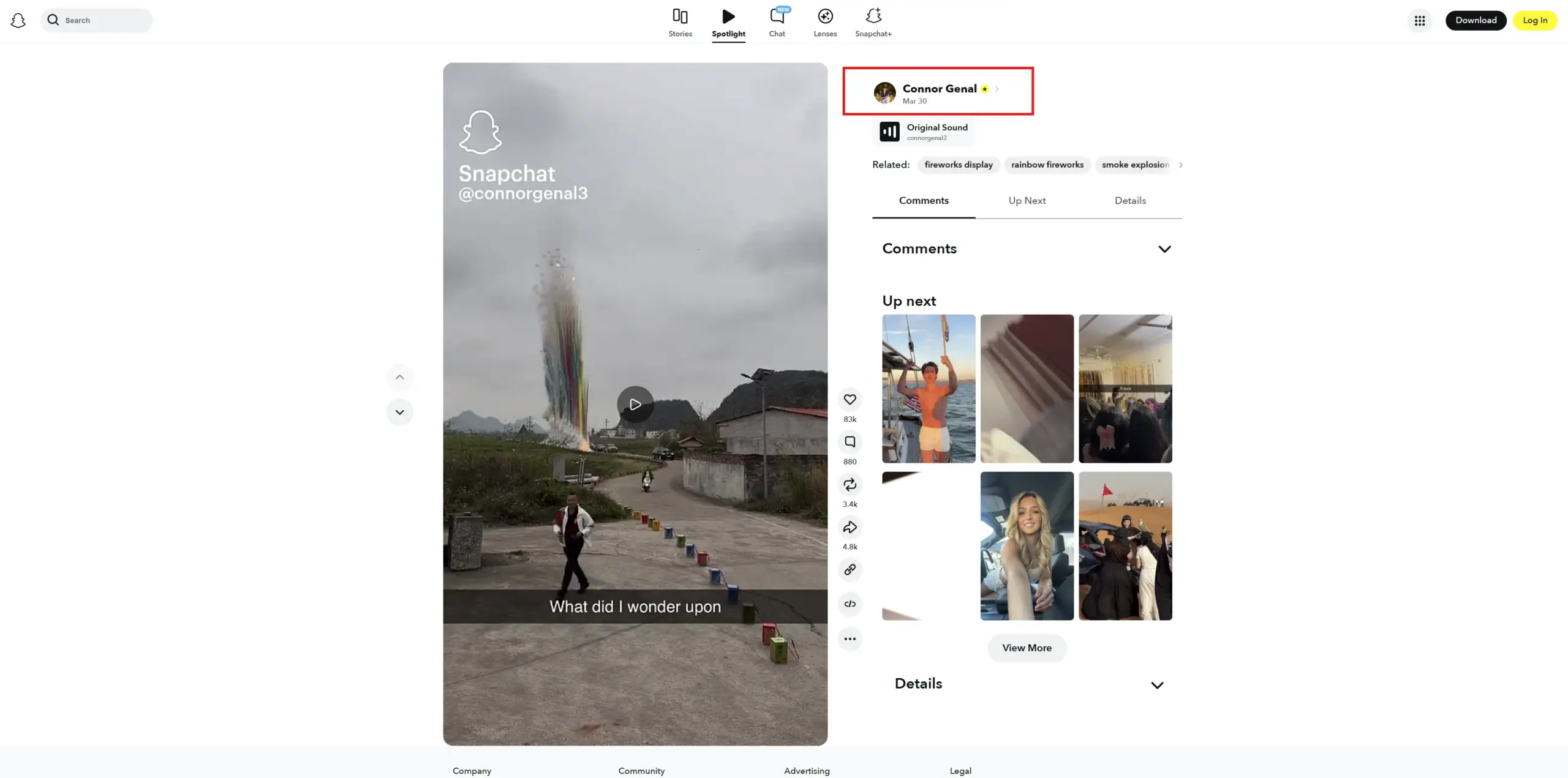
Now right click on the profile link and copy its full link
Step 2: Paste the Public Profile Using the Username
We copied the full profile URL and you can get its username by cutting https://www.snapchat.com/ then remaining text will be username, as it starts from @ like this: @connorgenal3
Now paste it in our story viewer tool, like shown below:
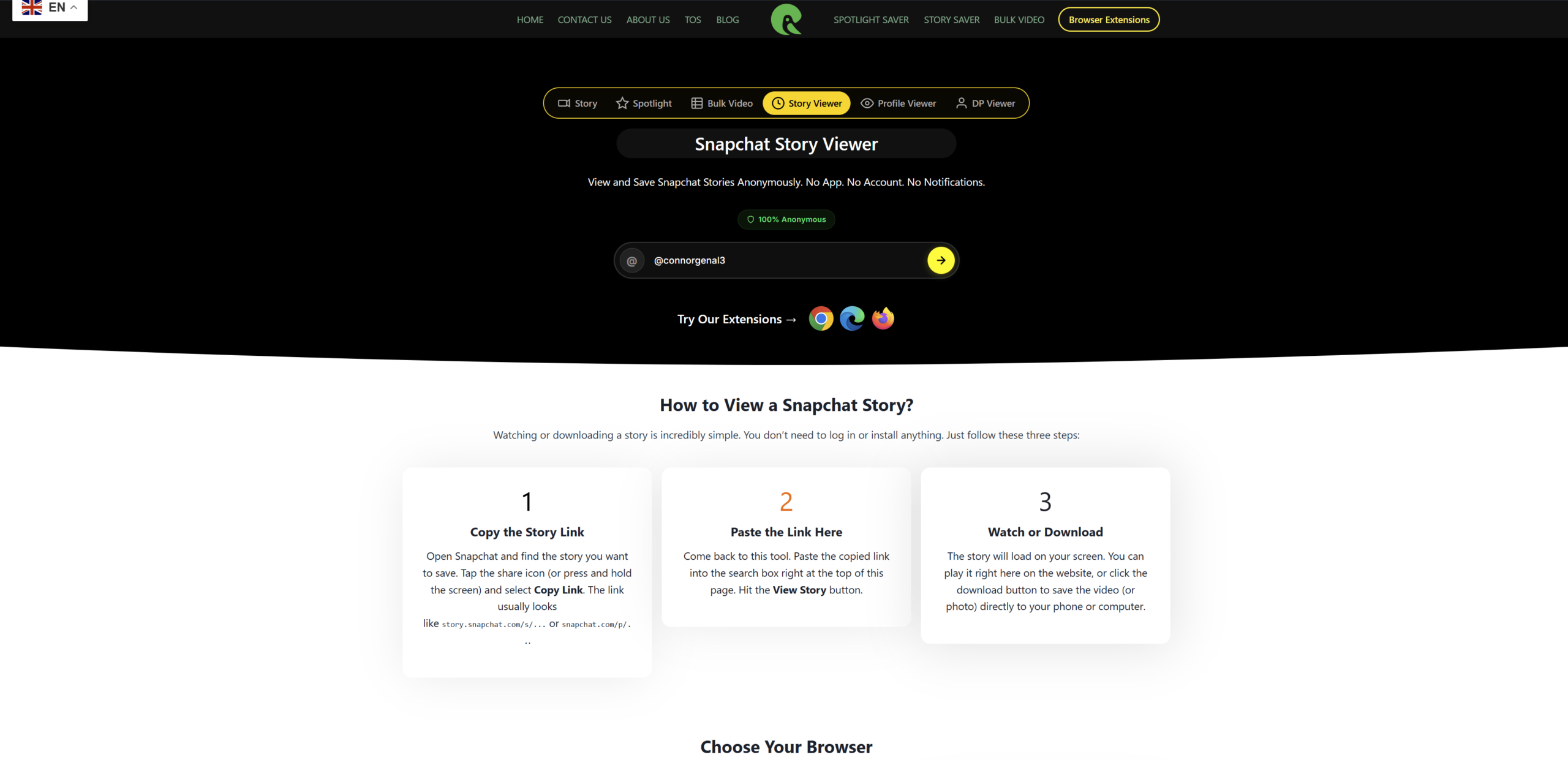
You can type this straight into your browser and swap in the real username. Or, if you’d rather skip typing the full link, just head to our Snapchat Profile Viewer and paste the username directly into the search box. It pulls up the public profile in a few seconds, so you can double check it’s the right person before you go any further.
A small but important tip: Usernames don’t have spaces or capital letters. If you got the name from a screenshot or someone told you out loud, type it carefully. One wrong letter and the search comes up empty.
Step 3: Download Their Stories, Spotlights, or Photos
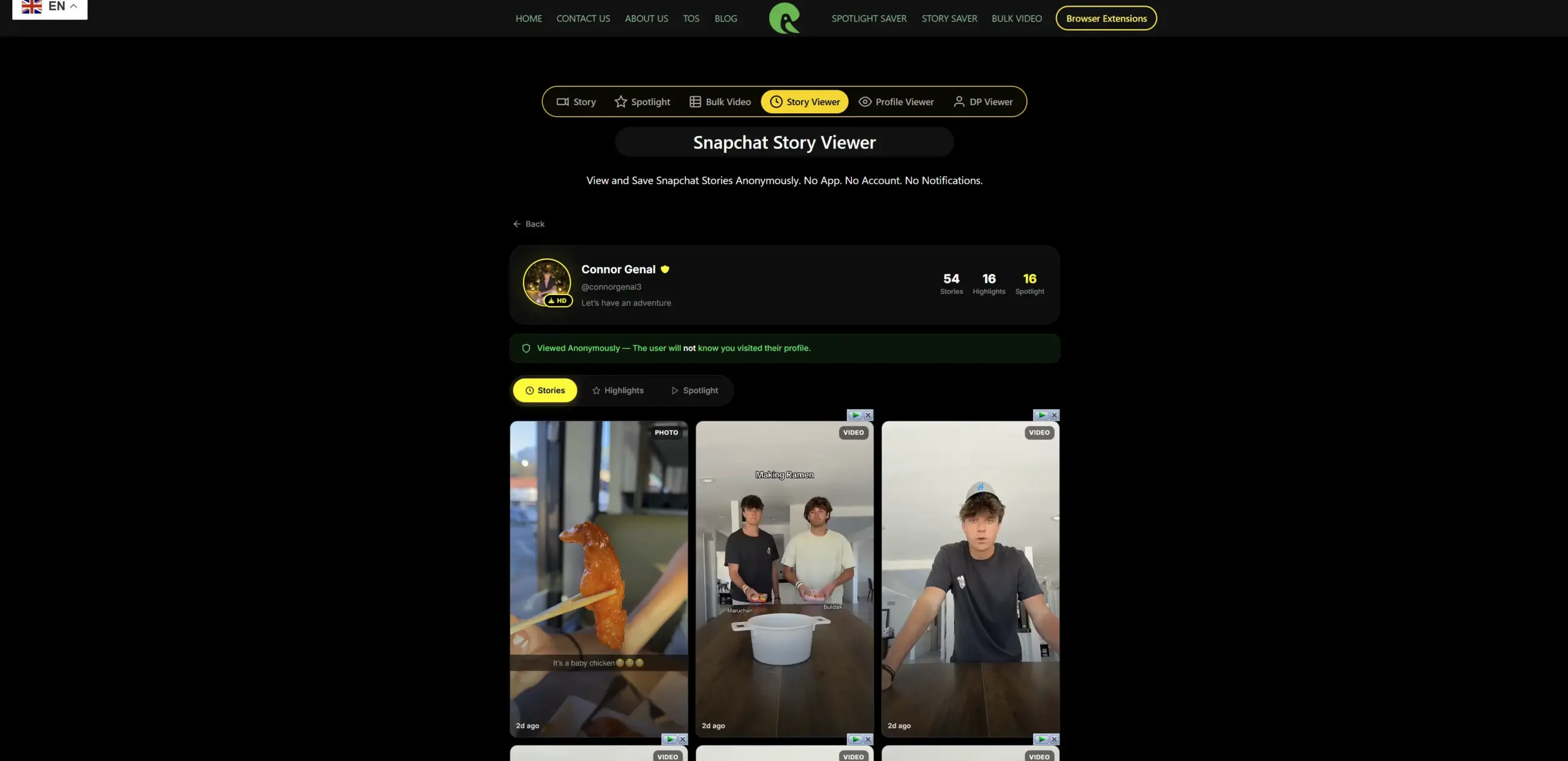
After pasting the username of the profile, hit the fetch button and wait for 2-4 seconds and the entire content will be fetched and appeared professionally like shown in below screenshot.
At the first tab “Stories” will be shown.
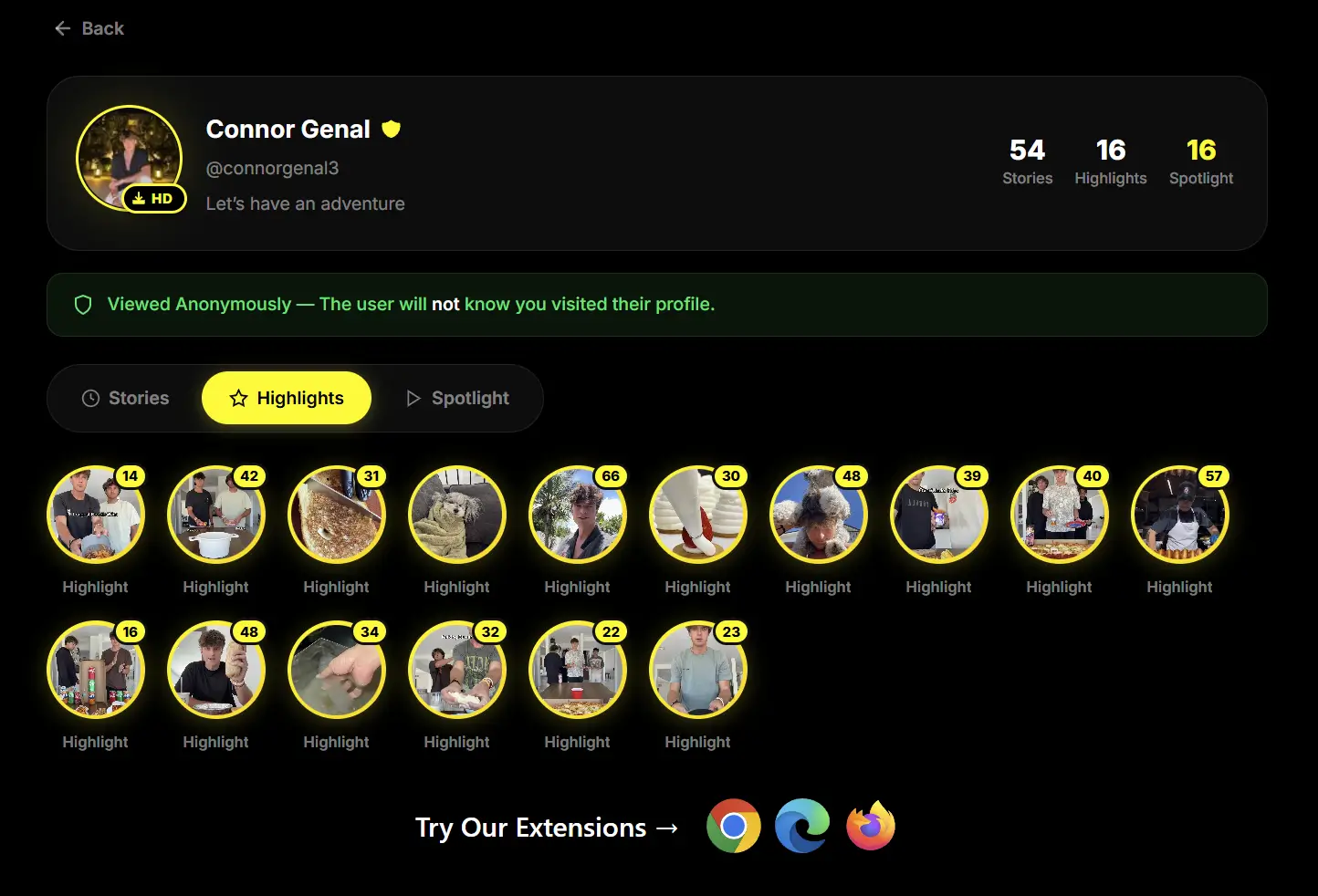
At the second tab “Highlights” all the highlights will appear (You can view even oldest stories and highlights upto 1 to 5 years old.
And at the third tab “Spotlights” all spotlights of the profile will be appeared like shown in below screenshot.
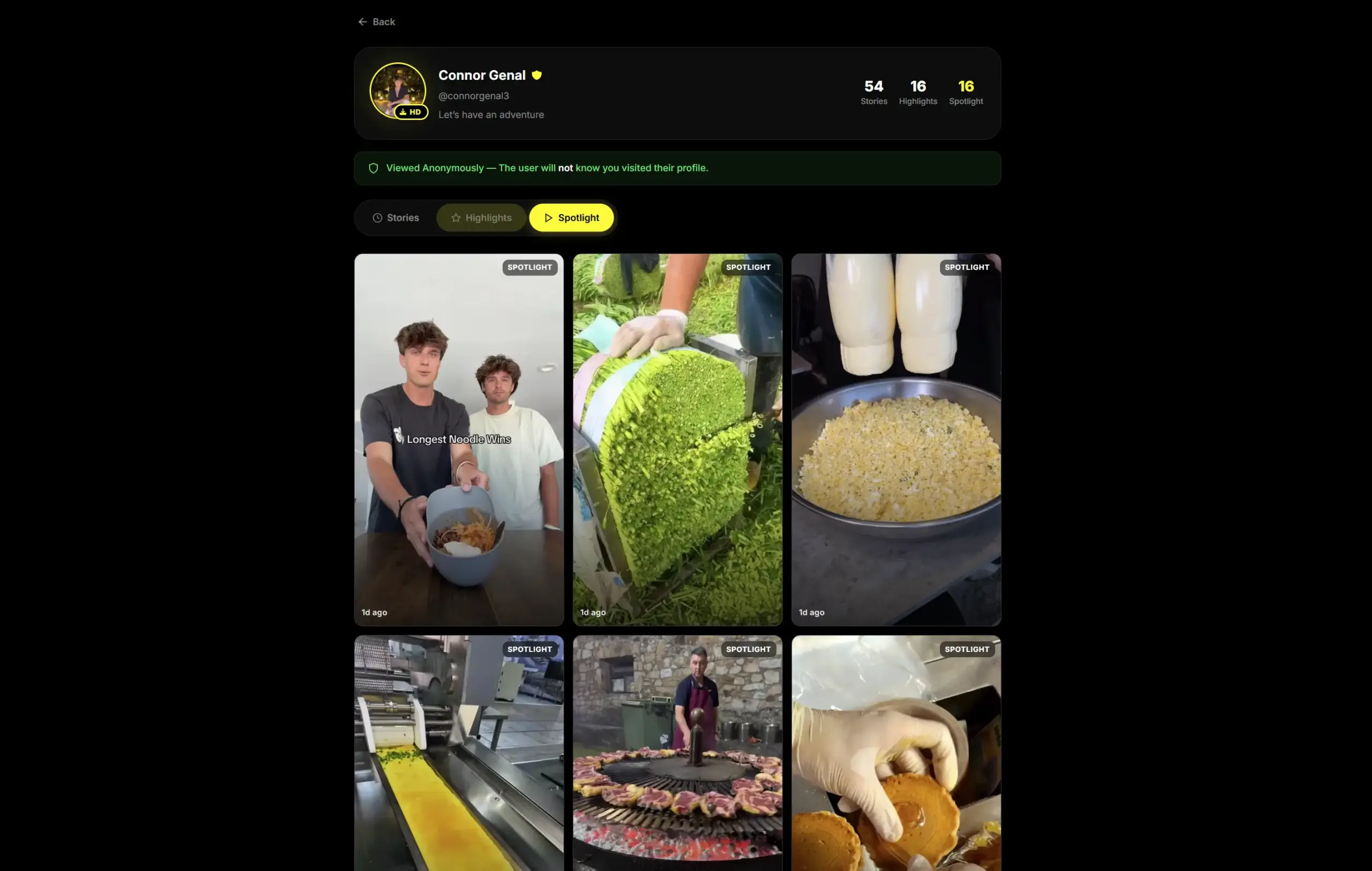
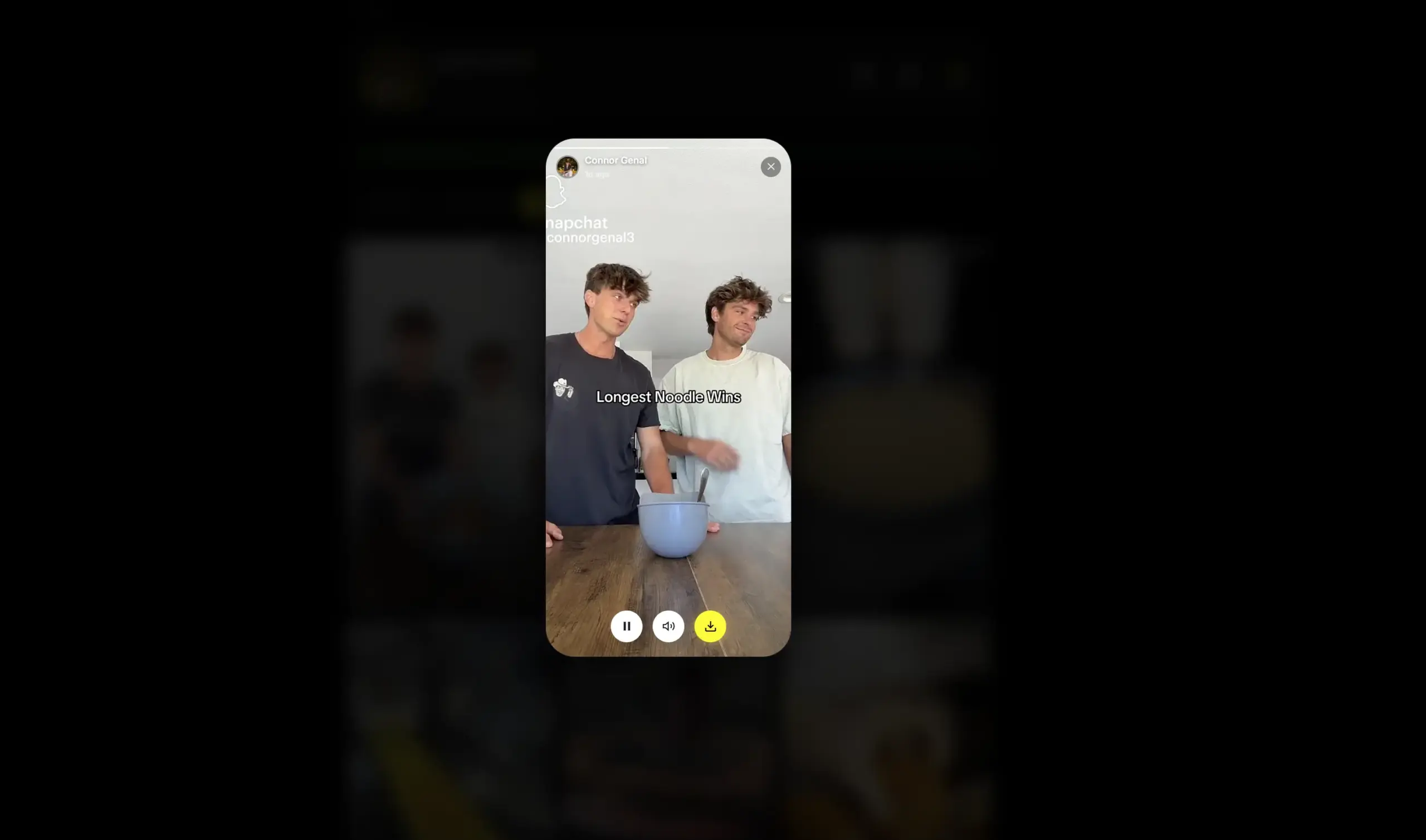
To download any story, highlight or spotlight, hit on it and it will pop-up like shown in below screenshot and click on “Download” icon button and the video will download within few seconds, in our case it was downloaded in 1 second.
- A story that’s live right now: use the Story Saver
- A viral Spotlight clip: use the Spotlight Downloader
- Everything public on their profile at once: use the Bulk Video Downloader, which fetches all the public media in one go instead of you checking back one video at a time
Every tool works the same simple way. Paste the username or the profile link, wait a moment, and the videos show up ready to save. Videos come through as MP4 files, and images save as PNG, both in the best quality Snapchat allows, with no watermark stamped on top.
Just Want Their Profile Picture?
Sometimes you’re not after a video at all. You just want to see someone’s DP properly, instead of squinting at that tiny circle Snapchat shows in the app. Our Profile Picture Viewer handles exactly that. Type the username, and it loads the full size image straight from Snapchat’s own servers.
What If the Account Is Private?
Here’s where we’re going to be straight with you, because a lot of other sites won’t be.
If someone’s Snapchat is set to private, their username alone cannot unlock their stories or snaps. Snapchat built the app this way on purpose, so people control who sees their content. There is no real tool, setting, or workaround that changes this. If a website promises otherwise, or asks you to log in with your own Snapchat account to “unlock” someone else’s private content, close the tab. That’s not how any of this works, and it’s usually a sign they’re after your password, not helping you.
If you actually need something from a private account, like a snap a close friend sent you that you’d love to keep, the honest move is to just ask them directly. Most people say yes if you ask nicely. We’ve written a full walkthrough on doing this the right way here: How to Download Private Snapchat Videos.
Common Problems (and How to Fix Them)
“Username not found” Check your spelling first. Snapchat usernames are always lowercase with no spaces, so match it exactly.
“No story is showing up” Not every public account has an active story at all times. Stories vanish after 24 hours, so if they haven’t posted recently, there’s simply nothing there yet. Try checking back later.
“It says this profile is private” That’s the wall we mentioned above. No username search gets past a private setting, and that’s by design.
“Nothing downloads when I click the button” This usually happens when the username or link got cut off while copying. Retype it fresh, and if it still won’t work, our troubleshooting guide covers the other common fixes.
A Few Tips for Next Time
- Bookmark the Profile Viewer page so it’s one click away instead of a search away
- If you browse Snapchat’s own website often, our Chrome extension adds a download button right on the page, so you don’t need to come back here every time
- For accounts you check regularly, Spotlight content tends to stick around longer than stories, so there’s no need to check daily
My Final Words:
Downloading Snapchat content by username really comes down to one rule: it works for public profiles, and it doesn’t work for private ones, and no tool can honestly promise otherwise. Once you know that, the rest is simple. Find the username, confirm the profile is public, and pick the right tool for what you want to save.
Ready to try it yourself? Head to SchatDownloader.com and paste in a username to get started.