
Snapchat Spotlight Downloader
Save Snapchat Spotlight Videos Without Watermark in 2026
How to Use Snapchat Spotlight Downloader?
Want to save your favorite spotlights? Just paste its link above and download it directly to your device.
Copy your favorite spotlight video URL.
Now, Paste the copied link into the Search field.
Tap the “Download” button to save the video to your device.
How to Download Snapchat Spotlight Videos (3 Simple Steps)
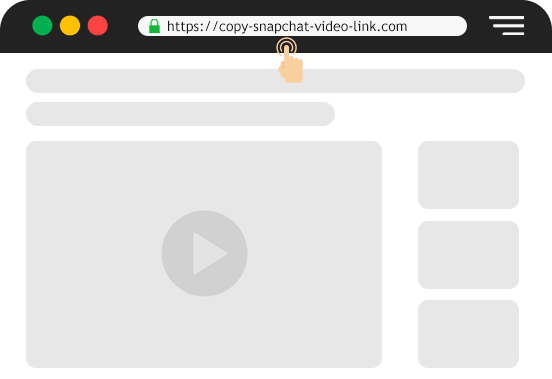
Copy the Spotlight Link
Open Snapchat and find the Spotlight video you want to save. Tap the share arrow at the bottom → tap “Copy Link.”
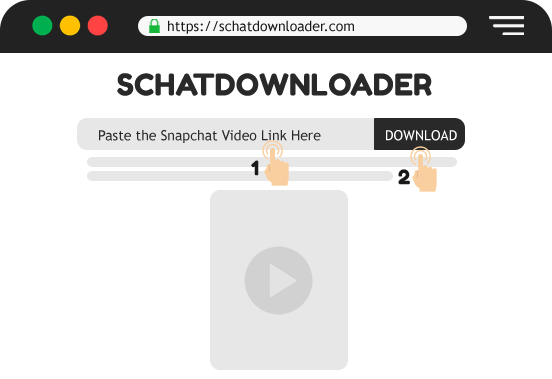
Paste the Link Above
Come back to this page and paste the copied link into the input box at the top. Make sure the full link is pasted correctly.
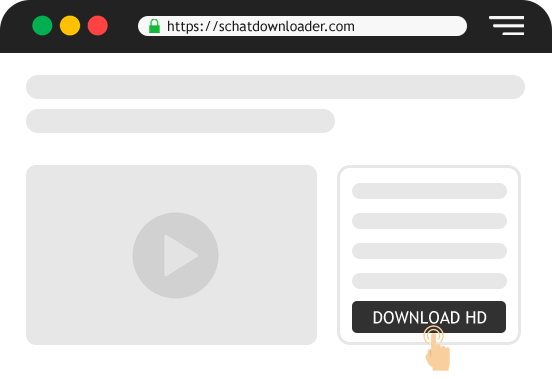
Download Your Video
Click the Download button. Your video will be ready in 2-3 seconds – tap Download again to save it directly to your phone or computer.
Why Use This Tool?
There are lots of downloader tools out there. Here’s why SchatDownloader specifically works better for Spotlight content:
Real Video File
Most people try to screen record Spotlight videos and end up with shaky, low-quality footage that includes UI buttons and black edges. SchatDownloader doesn’t record your screen, it fetches the actual video file directly from Snapchat’s servers. What you get is the clean, original file exactly as it was uploaded. No phone wobble, no accidental record icons, just the video.
Original HD Quality
When you screen record a video, your phone compresses it. Play it again and record that? More compression. By the time you watch it later, the quality has noticeably degraded. SchatDownloader skips all of that — it pulls the source file at full resolution. Whether the original was 720p or 1080p, that’s exactly what lands on your device.
Zero Watermark
Some downloader tools stamp their logo across your video before delivering it. Annoying, unprofessional, and honestly unnecessary. SchatDownloader adds nothing to your video. No logo in the corner, no “Downloaded via…” text, no overlay of any kind. You get the original video as-is — ready to save, share, or keep privately.
No Login
Some tools ask you to “connect your Snapchat account” to download videos. Never do that. Handing over your Snapchat login to a third-party website is how accounts get stolen. SchatDownloader requires nothing from you except the video link. No username, no password, no account connection — just the link.
No App to Install
You don’t need to visit the App Store or Play Store. You don’t need to trust a random app with device permissions. SchatDownloader runs entirely inside your browser — Safari, Chrome, Firefox, it doesn’t matter. Open the website, paste the link, download the video. That’s the whole process.
Free for Lifetime
There’s no “free plan with limited downloads” and a paid upgrade waiting for you. Downloading Snapchat Spotlight videos on SchatDownloader is free — full stop. No credit card, no trial period, no daily download limit on standard videos. You can use it as many times as you need.
Completely Anonymous
When you download a Spotlight video using SchatDownloader, the creator receives no alert, no badge, and no notification of any kind. Spotlight is public content — it’s designed to be seen by anyone. Saving it privately through our tool is invisible to the creator entirely.
What is a Snapchat Spotlight Downloader?
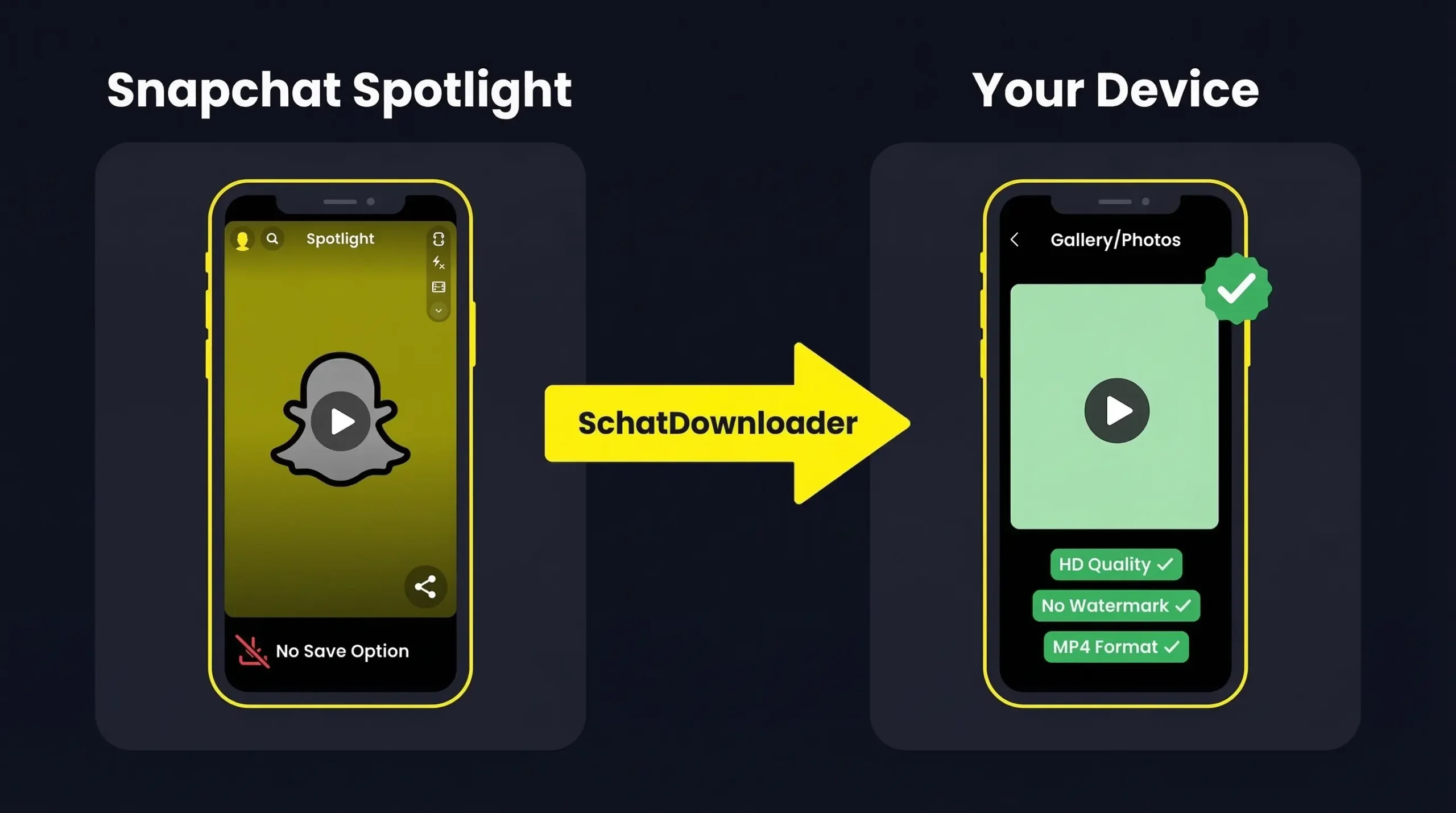
Snapchat Spotlight is a public short-video feed – think TikTok, but inside Snapchat. Anyone can watch Spotlight videos, even without following the creator.
A Snapchat Spotlight Downloader is a tool that takes the link of any public Spotlight video and converts it into a downloadable file – usually MP4 – that you can save to your device.
Snapchat doesn’t provide a built-in “Save to Phone” button for most Spotlight videos. That’s why tools like SchatDownloader exist to fill that gap cleanly and safely.
How to Download Snapchat Spotlight on Any Device
Snapchat’s interface looks slightly different depending on whether you’re using an iPhone or an Android and on PC, there’s no Snapchat app at all. So the exact steps vary a little by device.
Don’t worry though. The core process is the same everywhere: copy the Spotlight video link from Snapchat, paste it into SchatDownloader, and hit Download. What changes is just *how* you copy the link and where the file saves on your device.
Pick your device below and follow the steps that match yours.
Downloading Spotlight Videos on Android
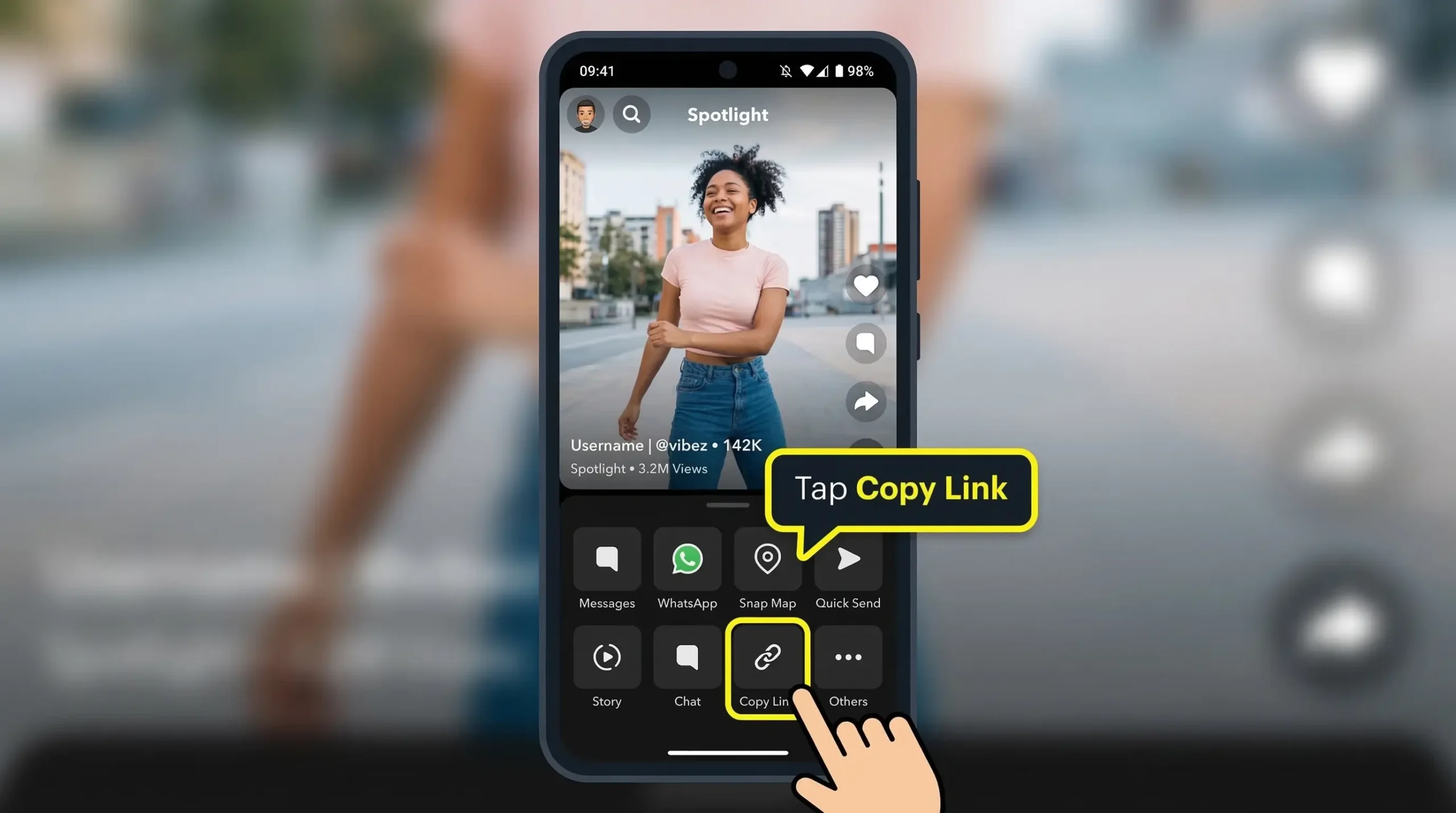
- Open Snapchat on your Android phone
- Navigate to the Spotlight section (the shooting star icon at the bottom)
- Find the video you want to save
- Tap the share icon (arrow pointing right) → tap “Copy Link”
- Open Chrome browser → go to SchatDownloader.com
- Paste the link in the box → tap Download
- The video saves to your Gallery app
Downloading Spotlight Videos on iPhone
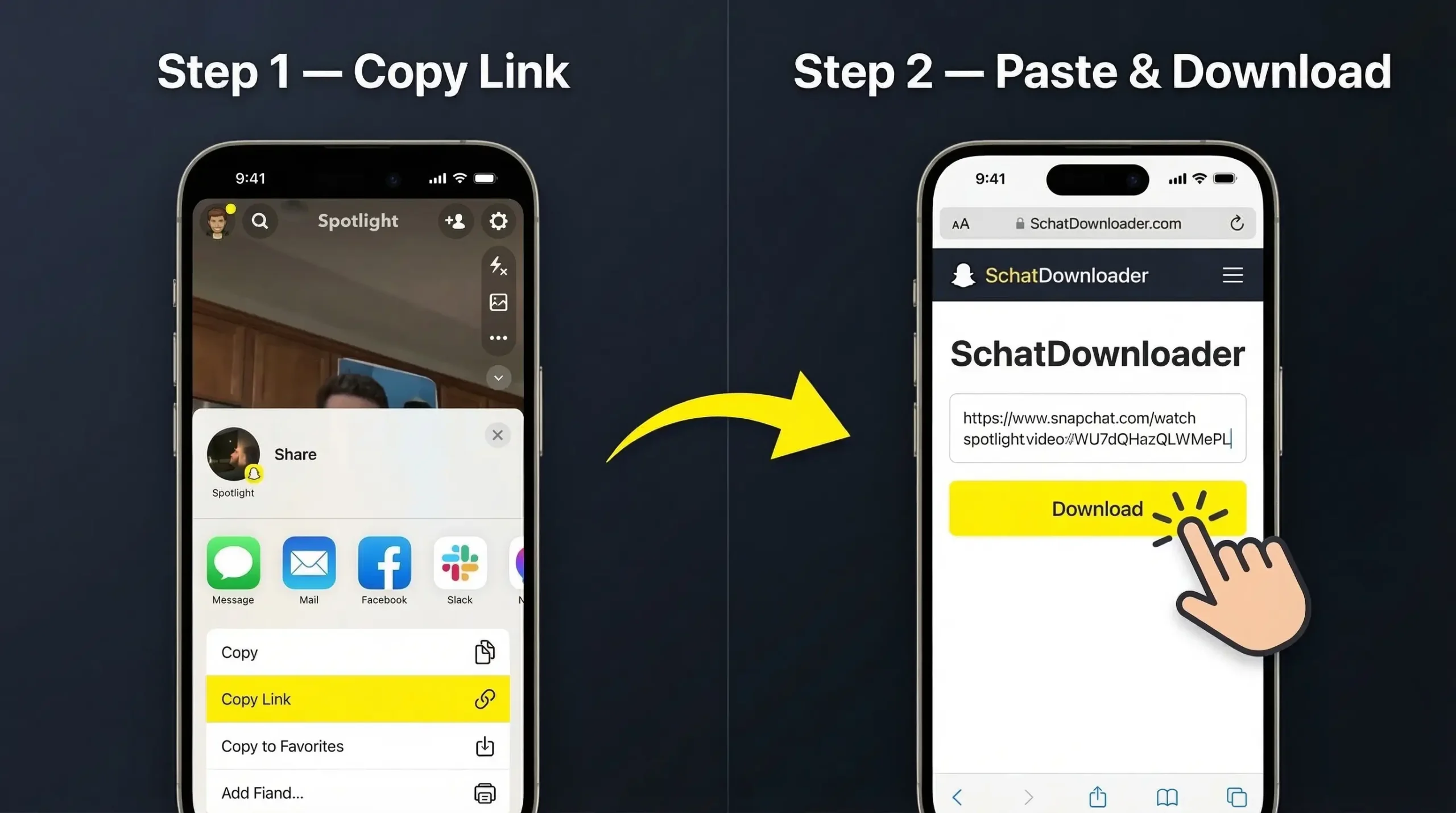
- Open Snapchat and find the Spotlight video
- Tap the share arrow → tap “Copy Link”
- Open Safari (or Chrome) → go to SchatDownloader.com
- Paste the link → tap Download
- Tap and hold the video → select “Save to Photos”
Downloading Spotlight Videos on PC or Mac
Open snapchat in your browser (Chrome, Safari or Mozilla etc) and find yur favorite spotlight you want to download
Open new tab in the same browser and → go to SchatDownloader.com
Paste the link of the spotlight → click “Download“
Snapchat Spotlight Downloader (Features at a Glance)
| Feature | SchatDownloader |
|---|---|
| Video Quality | HD (original quality) |
| Watermark | ❌ None |
| Login Required | ❌ Never |
| Works on iPhone | ✅ Yes |
| Works on Android | ✅ Yes |
| Works on PC/Mac | ✅ Yes |
| App Installation | ❌ Not needed |
| Price | ✅ Free |
| Notification to Creator | ❌ None |
| Output Format | MP4 |
Does Downloading Snapchat Spotlight Notify the Creator?
No. Spotlight videos are public content. When you download a Spotlight video using SchatDownloader, the creator receives zero notification. No alert, no badge, nothing.
This is different from downloading someone’s private Story or personal Snap — those can trigger notifications. Public Spotlight content is safe to download without any privacy concerns.
Can I Download Snapchat Spotlight Videos Without Watermark?
Yes — and this is one of the biggest advantages of using a proper downloader over screen recording.
When you screen record a Spotlight video, you’re recording your phone’s screen — which can include other UI elements, poor-quality edges, and sometimes Snapchat’s own overlays.
SchatDownloader pulls the original source file directly. That means you get the clean video exactly as it was uploaded — no watermarks from us, no Snapchat UI elements, just the video itself in full HD.
Is It Legal to Download Snapchat Spotlight Videos?
Spotlight videos are public content uploaded voluntarily by creators. Downloading them for personal viewing and offline use is generally considered acceptable.
However:
- Don’t re-upload someone’s Spotlight video as your own — that’s copyright infringement
- Don’t monetize content created by someone else without their permission
- Always credit the original creator if you share their content
SchatDownloader is a technical tool. How you use the downloaded content is your responsibility.
Why Can’t I Download Spotlight Videos Directly from Snapchat?
Good question. Snapchat includes a download option for some Spotlight videos — but not all. Whether the option appears depends on:
- The creator’s privacy settings
- The specific content type (some brand or licensed content is restricted)
- Your Snapchat app version
Even when the in-app download button does appear, it sometimes only saves to Memories (inside the Snapchat app) rather than your camera roll. SchatDownloader bypasses all of this — it goes directly to the source and gives you a camera roll-ready file.
Other Snapchat Downloading Tools by SchatDownloader
Looking for more? We’ve got you covered:
- 🎯 Snapchat Video Downloader — Download any public Snapchat video by link
- 📖 Snapchat Story Downloader — Save Snapchat Stories in HD
- 📚 How to Download Snapchat Stories (Guide) — Step-by-step walkthrough